A shopper leaving checkout is an observation. “They need a discount” is an interpretation. The difference matters: if delivery timing was unclear, a coupon may reduce your margin while leaving the question unanswered.
A useful abandoned-cart email helps someone decide. It can reconnect them with a product, explain a relevant detail, or make it easier to ask for help. This article develops that approach with original teaching examples. MailerLite’s collection of recovery emails prompted the topic; the framework and drafts here are our own.
Write the decision brief before the subject line
Use five lines: audience, observed behavior, possible uncertainty, verified evidence, and next action. For example: “New shopper; began checkout for a desk lamp; may be checking desk fit; we have dimensions and a comparison photograph; invite them to check dimensions and return.” Label the uncertainty as a hypothesis until the shopper tells you otherwise.
Use support questions, product reviews you have permission to use, and checkout usability observations to build hypotheses. Avoid inserting private customer notes into an AI tool to produce a more personal email. Product-level context is often sufficient.
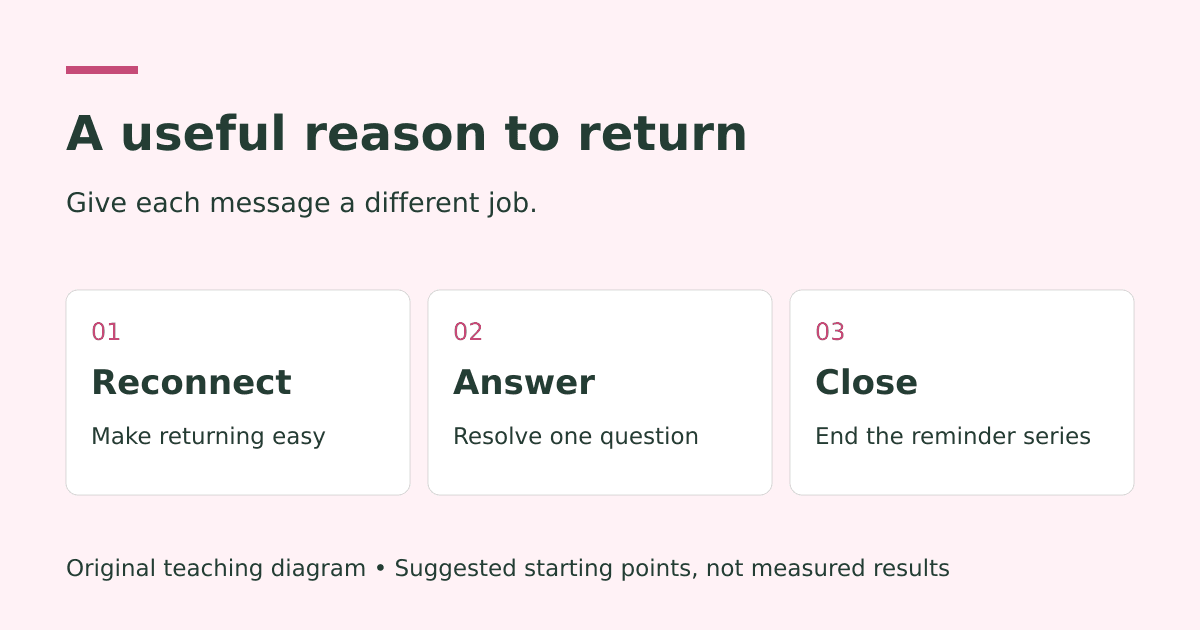
Give each message one job
- Reminder: reconnect the person with the selection and the correct checkout.
- Decision support: answer a meaningful question using verified information.
- Closure: offer a final easy return, then end the series.
As a test plan, try the first message after about an hour and a second the next day. Add a final message after another day or two only if it serves a distinct purpose. Timing should fit the buying process. A costly business purchase and an inexpensive accessory need not share a cadence.
Three original examples you can adapt
1. The interrupted shopper
Subject: Back to your [product] selection
Preview: A quick way to continue when you are ready.
You were checking out [product and variant]. Here is a direct link to review your selection and the current total. If something was unclear, reply with your question.
Button: Return to my checkout
Why it works as a hypothesis: It reduces the effort of retracing steps. It does not assume forgetfulness or promise unavailable inventory. Use a recovery URL rather than a generic homepage link.
2. The comparison shopper
Subject: Will [product] work for your [use case]?
Preview: Check [specific dimension or compatibility detail] before deciding.
A useful detail before you choose: [verified product fact]. We put the measurements and examples in this short guide so you can check against your own setup.
If you want help interpreting it, reply with the question. You can return to your selection whenever you are ready.
Button: Review the guide and my selection
What to verify: The landing page should include both the explanation and a clear route back. Use factual product differences, not invented testimonials or claims that everyone loves the item.
3. The customer who needs more time
Subject: Closing the loop on [product]
Preview: This is the last message in this checkout series.
If you are still considering [product], you can review the details below. If your plans have changed, that is fine too. We will end this reminder series here.
For any unresolved product question, you can reply to this email.
Button: Review the product details
What to verify: Stop this series after the message. Coordinate re-entry rules so a minor cart update does not immediately restart it.
Build subject lines from the actual value
Write the body first, then describe its useful job in the subject line. Candidate patterns include “A sizing detail for [product],” “Your [product] checkout link,” and “Questions before choosing [product]?” These are examples to test, not guaranteed winners. The preview text should add information instead of repeating the subject.
Skip fake “Re:” prefixes, invented stock shortages, and deadlines that reset. If a real promotion ends, state the actual date, time zone, and exclusions. If you have no urgency to communicate, clarity is enough.
Test a meaningful difference
Start with a question: “Does answering the most common sizing question help more eligible customers complete a paid order than a simple reminder?” Keep the audience, incentive, timing, and purchase window consistent. Randomize at customer level so the same person cannot receive competing variants.
Pick completed paid orders per assigned eligible customer as a primary measure, with contribution after discounts and refunds alongside it. Use clicks and replies as diagnostic signals. Treat opens cautiously; privacy protections and automated activity can make them unreliable evidence of buying intent.
Do not rewrite the subject, discount, layout, and send time together if you want to learn which change mattered. Record your planned comparison before launch. If traffic is sparse, report counts and uncertainty instead of turning a handful of orders into a universal rule.
Make the workflow match the promise
A message needs an eligible, identifiable recipient. Before every send, check whether the customer has bought, unsubscribed, or entered another recovery flow. Validate current stock, the recovery link, and the reply inbox. Test the full sequence with controlled first-time and returning-customer scenarios.
For Shopify stores using MailerLite, current documentation makes important distinctions between recognized cart visitors and returning checkout customers, and requires marketing subscription. Check the integration’s eligibility rules before promising reach. Use the permissions and rules appropriate to your audience and platform; collecting an address alone does not establish permission for every marketing use.
A bounded AI prompt for better drafts
Using only the product facts, approved policies, and anonymized questions below, draft one reminder and one decision-support email. Include a subject, preview, short body, and one primary action. Mark missing facts in brackets. Do not invent reviews, stock levels, discounts, delivery promises, or customer motives. Explain which uncertainty each draft addresses.
Review the output against the source facts, then send yourself the actual rendered email. Check mobile readability, the plain-text version, image alternatives, links, and footer. Have a human approve the final copy.
Put the strategy to work
Choose one product, one recurring question, and one bounded test. Use the campaign experiment builder to write down the hypothesis, or explore lifecycle marketing support if the data, messages, and handoffs need to work together.
Published October 16, 2026. All example messages are original illustrative drafts; no performance results are claimed.
Keep exploring
Your inquiries went quiet. Build a useful follow-up routine.
Email Newsletter Strategy: What to Send When You Have Nothing to Sell