
Campaign planning often begins with channel ideas before anyone agrees on the customer action. Claude’s new office tools work best when you give them a specific planning job. Use a Whiteboard to clarify the message and handoffs, then a Sheet to make the test budget and result definitions explicit.
What Anthropic announced
On November 10, 2026, Anthropic introduced Claude Sheets and Whiteboards in beta and made Claude Data, formerly Dashboards, generally available on paid plans. Sheets supports editable formulas and Excel/CSV export; Whiteboards supports shared visual planning. Data works with connected data sources and adds visual stories, including narrated videos. Certified queries and live sharing remain beta features.
Interactive connectors are also expanding to full app views where supported, including Adobe and Atlassian. Availability depends on rollout and organizational settings. Claude Meetings is described as coming soon in the overview; the Whiteboards help page documents Google Meet beta support on Team and Enterprise. Check your account before planning around it; Zoom and Microsoft Teams are not supported in that documented beta.
Before you start
Open Claude and confirm that your paid account has the Sheets and Whiteboards templates in Artifacts. Team plans enable them by default; an Enterprise owner must enable them. If a template is missing, check your plan and organization settings before following this exercise. No live meeting or connected business account is required for the sample below.
Start a chat, paste the labeled sample data and ask for a Sheet. In a separate request, ask for a Whiteboard using the reviewed findings. Copy the relevant context explicitly: the Whiteboards help page says connected-app context is not currently available to the board. These are suggested prompts, not a transcript of a hands-on test in Claude.
Your four-step workflow
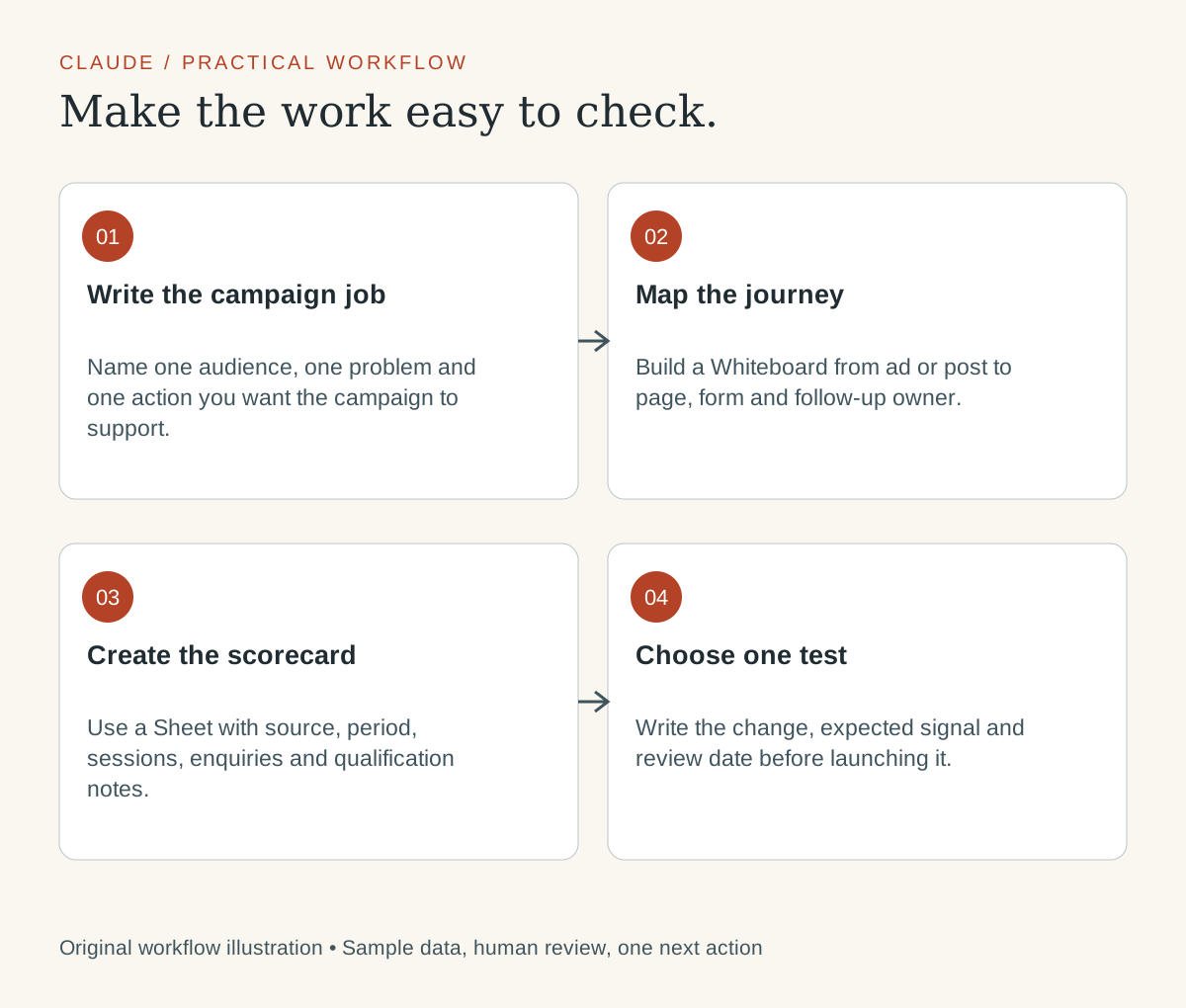
- Write the campaign job. Name one audience, one problem and one action you want the campaign to support.
- Map the journey. Build a Whiteboard from ad or post to page, form and follow-up owner.
- Create the scorecard. Use a Sheet with source, period, sessions, enquiries and qualification notes.
- Choose one test. Write the change, expected signal and review date before launching it.
Worked example: Which sample landing page has the stronger enquiry rate?
Fictional practice example. These inputs and expected outputs demonstrate the method. They are not client results, portfolio metrics or evidence that this task was run in Claude.
| Page | Measured sessions | Enquiries |
|---|---|---|
| Page A | 500 | 20 |
| Page B | 400 | 24 |
Paste this prompt into Claude
Create a Claude Sheet using only the following SYNTHETIC PRACTICE DATA. Do not connect accounts or invent missing values. Keep raw inputs separate from calculations. Include visible formulas and an Assumptions tab. The decision is: Which sample landing page has the stronger enquiry rate?

Page,Measured sessions,Enquiries
Page A,500,20
Page B,400,24

Use these formulas, with the header in row 1:
D2 = IF(B2=0,"",C2/B2)  → enquiry rate
D3 = IF(B3=0,"",C3/B3)
D4 = D3-D2  → percentage-point difference

Explain the calculation and flag missing inputs. Keep zero denominators blank and identify why the result is unavailable. Do not claim these are real business results.
Check the expected result
The fictional rates are 4% for Page A and 6% for Page B, a 2-percentage-point difference.
That difference is not a validated A/B-test result. Different traffic sources, periods and visitor intent could explain it. Before choosing a winner, check how enquiries were recorded and whether they were relevant to the offer. A useful first action is to inspect the message and form on both pages with the same customer question.
Turn the reviewed result into a board
Create a Whiteboard for this reviewed sample. Make four sections: Evidence, Assumptions, Open questions, and Next action. Evidence: The fictional rates are 4% for Page A and 6% for Page B, a 2-percentage-point difference. Interpretation to review: That difference is not a validated A/B-test result. Different traffic sources, periods and visitor intent could explain it. Before choosing a winner, check how enquiries were recorded and whether they were relevant to the offer. A useful first action is to inspect the message and form on both pages with the same customer question. Add one owner and review-date placeholder; do not invent names or commitments. Keep the sample labeled fictional. Do not send messages or change connected apps.
Make the handoff useful
Keep content production downstream of the brief. Ask Claude to identify missing offer facts before generating ten variations. The handoff should include the approved promise, source links, channel-specific constraints and the person who checks the customer journey. Judge the process by the decisions it supports.
Before sharing, check one ordinary row, one missing value and one zero-denominator case. Confirm that totals use the intended rows. Open the exported Excel file and inspect formulas and formatting; a CSV export does not preserve a workbook’s tabs and presentation. Share only the reviewed version with the intended people.
If you later use Claude Data, inspect the data source, metric definition and refresh time. Ask for the uncertainty to appear in any data story. If Meetings is available to your team, follow your organization’s participant-notice and recording practices; otherwise use notes you are permitted to share. The worksheet exercise works without a meeting assistant.
Try it on one real task
Replace the sample with data you are authorized to use, keep the same review question and record what needed correction. A useful first result is a checked artifact and a decision someone can act on.
Official sources
Feature information checked November 11, 2026. Examples, prompts and interpretation are original editorial guidance.
Keep exploring
Your website needs to answer the questions an AI assistant asks before a lead arrives
From AI content reviewer to the person who makes marketing work