The free lawyer field kit
Turn the right inquiries into consultations.
Build a practice-area page that explains the first meeting, give your intake team useful replies, and follow each inquiry through to an engagement decision.
Free. No signup. Editable tools, 12 original scripts, visual guides and a printable workbook.

Find where inquiries stall.
Review one inquiry that stopped before a consultation. Check whether the person could find your practice area, jurisdiction, consultation fee and response process. Improve the missing detail before sending an approved reply.
Open your editable workbenchPlan your campaign, adapt messages, review counts and create a landing-page draft. Save on your device or export an editable backup.
This is for you if…
Solo lawyers and small firms with an existing stream of inquiries. The worked example focuses on non-urgent estate-planning consultations.
The gap to work on
A prospective client cannot tell whether the firm handles their situation, what the first meeting costs, or what happens after making contact. The inquiry stalls before either side can assess fit.
What you will build
Create a clear first-contact experience, a consistent intake handoff and a weekly view of consultation follow-through.
What’s in your kit
A complete working set. Use it online, download it for later, or bring it into a team session.
The visual field guide
Six practical chapters with a specific action and definition of done, a four-week plan and a worked example.
Read the guideThe original swipe file
Twelve industry-specific drafts for inquiries, follow-up, content and the handoff to your service.
Browse and copy scriptsThe editable workbench
Campaign planner, message builder, conversion scorecard and landing-page draft builder. Works offline too.
Open the toolsThe printable workbook
Keep the guide, worksheets, scripts and campaign plan beside you as you work. Includes room for your own notes.
Download the PDFThe complete download also contains an editable Markdown playbook, a CSV scorecard, the original SVG diagrams and a ready-to-customize HTML landing-page example.
A practical path
through the work.
Each step produces something you can use in your business.
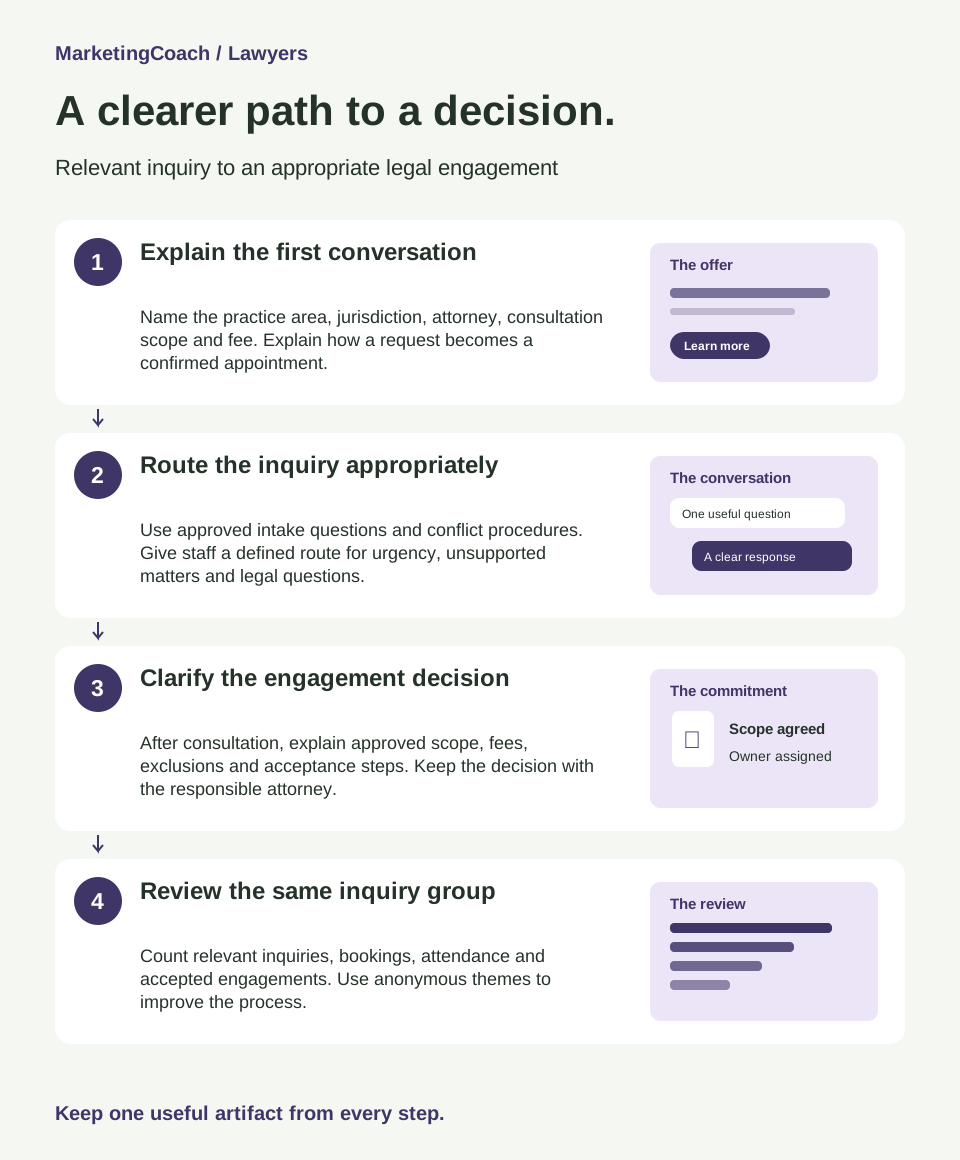
- 1
Explain the first conversation
Name the practice area, jurisdiction, attorney, consultation scope and fee. Explain how a request becomes a confirmed appointment.
A clear consultation page - 2
Route the inquiry appropriately
Use approved intake questions and conflict procedures. Give staff a defined route for urgency, unsupported matters and legal questions.
An intake response and handoff - 3
Clarify the engagement decision
After consultation, explain approved scope, fees, exclusions and acceptance steps. Keep the decision with the responsible attorney.
An approved engagement summary - 4
Review the same inquiry group
Count relevant inquiries, bookings, attendance and accepted engagements. Use anonymous themes to improve the process.
A weekly intake scorecard
Worked example · fictional business
Harbor Planning Law (fictional)
A 45-minute consultation at a disclosed $200 fee, subject to intake and conflict review. Drafting, filings and ongoing representation are separately scoped.
- Audience
- Adults in the firm’s licensed jurisdiction asking about a first estate-planning consultation
- Capacity
- Twelve consultation appointments available over four weeks
- Starting budget
- $0 new media spend; reserve four staff hours for the practice page and inquiry review
Follow the same inquiry group
Twelve of twenty relevant inquiries booked. Review missing fee and process information first. Four of ten attended consultations led to accepted engagements; record anonymous reasons for the others, including unsuitable scope, conflicts, timing or a decision not to proceed. Lower acceptance is not automatically a failure.
Illustrative counts, not results, targets or industry benchmarks.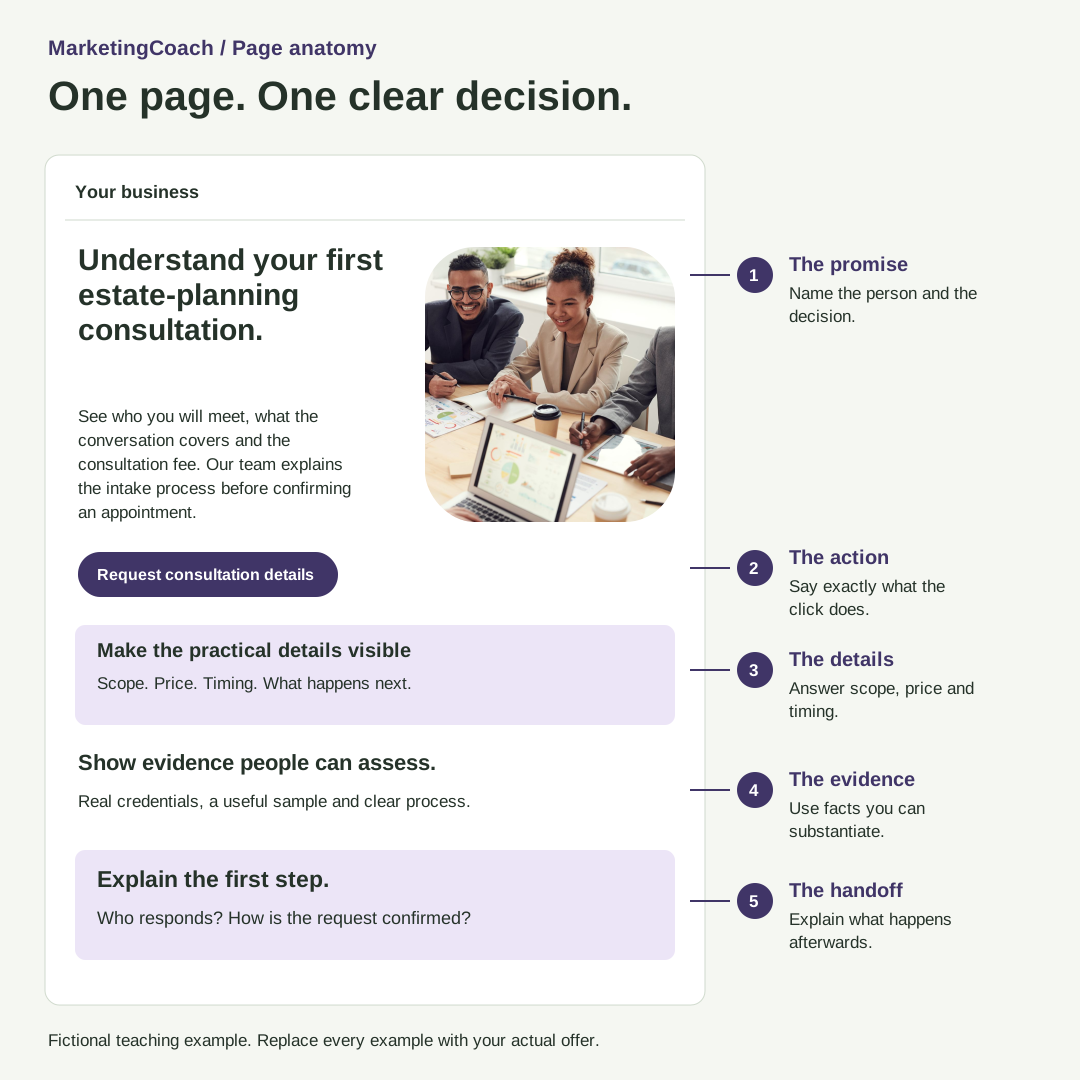
A landing page
with a job to do.
Give people the information they need to make one clear decision. Start with the tailored example, then replace the copy with your own offer and real evidence.
The example is a demonstration. The builder exports an editable HTML page with your own call-to-action link.
A few useful answers.
Does this work for every practice area?
The example is non-urgent estate planning. Adapt it to one actual practice area. Urgent, criminal, injury and other matters need their own intake, deadline and advertising review.
Can staff send these messages as written?
They are drafts. The responsible lawyer should approve the content, channel, intake notices and use under the rules that apply to the firm.
Does the tool screen conflicts or create engagements?
No. It helps plan marketing and track aggregate stages. Conflict screening, legal advice, secure records and engagement acceptance remain in the firm’s approved process.
Should I promise a free consultation?
Only if that is the real offer. Explain the actual price and conditions clearly; the kit supports paid or free appointments.
What happens to the information I enter?
The workbench runs in your browser and sends no messages. Saving on your device is optional. Export JSON for an editable backup. Use anonymous, aggregate information and keep private customer records in your existing system.
Work through your real situation
A clearer plan.
With a human in your corner.
Bring your practice page and intake process to Ashley’s $350 Marketing Clarity Session. Review one audience, one offer and three priorities for the next 30 days.
See the session and scopeThis kit is free. The session is optional.
Photography: fauxels / Pexels. Stock photography; people pictured are not MarketingCoach clients. Original templates and diagrams by MarketingCoach. Version 1.0 · November 13, 2026.
Use and adapt the templates in your own business. Share the kit page with others. Do not resell the kit or present fictional examples as your results.